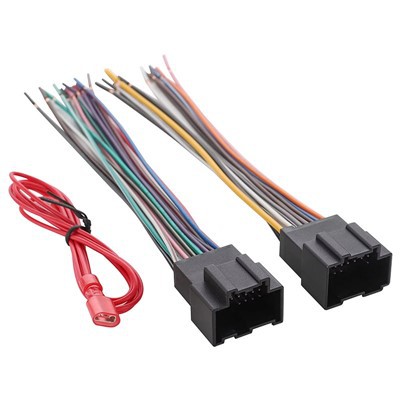
As a supplier of OBD II Port Splitters, I understand the importance of ensuring that these devices work properly. An OBD II Port Splitter is a valuable tool that allows multiple devices to connect to a vehicle's OBD II port simultaneously. Whether you're a professional mechanic, an automotive enthusiast, or someone who needs to monitor multiple parameters in your vehicle, a well - functioning splitter is essential. In this blog, I'll share some effective ways to test if your OBD II Port Splitter is working properly.
Visual Inspection
The first step in testing your OBD II Port Splitter is a thorough visual inspection. Start by examining the physical condition of the splitter. Check for any visible signs of damage such as cracks, frayed wires, or bent pins. A damaged splitter may not make a proper connection, leading to communication issues between the connected devices and the vehicle's OBD II port.
Inspect the connectors on both the splitter and the cables. Make sure the pins are straight and clean. If there is any dirt or debris on the pins, use a clean, dry cloth to gently wipe them. Corroded or dirty pins can cause poor electrical conductivity, which can affect the performance of the splitter.
Connect to a Vehicle
Once you've completed the visual inspection, it's time to connect the splitter to a vehicle. First, locate the OBD II port in your vehicle. It is usually located under the dashboard on the driver's side. Insert the main connector of the splitter into the OBD II port firmly. You should feel a secure click when the connection is made.
If the splitter has multiple output ports, connect a known - working OBD II scanner or diagnostic tool to one of the ports. Turn on the vehicle's ignition (but do not start the engine). The OBD II scanner should power on and establish a connection with the vehicle's on - board computer. If the scanner does not power on or cannot establish a connection, there may be an issue with the splitter.
Check for Power
Another important aspect of testing the splitter is to ensure that it is receiving power. You can use a multimeter to check the voltage at the output ports of the splitter. Set the multimeter to the DC voltage setting and connect the probes to the appropriate pins on the output port. The voltage should be within the range specified by the vehicle's OBD II system, typically around 12 volts.
If the voltage is significantly lower or higher than the expected range, it could indicate a problem with the splitter. This could be due to a faulty power supply or a short circuit within the splitter.
Test Multiple Devices
To fully test the functionality of the splitter, connect multiple OBD II devices to the different output ports. This could include an OBD II scanner, a data logger, or a vehicle tracking device. Make sure each device is properly connected and powered on.
Each device should be able to communicate with the vehicle's on - board computer independently. You can check this by running diagnostic tests on each device. If one or more of the devices cannot communicate, it could be a sign that the splitter is not distributing the data correctly.
Software Compatibility
In addition to the hardware tests, it's important to consider software compatibility. Some OBD II devices may require specific software to function properly. Make sure that the software on each device is up - to - date and compatible with the vehicle's OBD II system.
If you encounter issues with software compatibility, it could be mistaken for a problem with the splitter. Check the manufacturer's website for software updates and compatibility information.
Use Diagnostic Tools
There are several diagnostic tools available that can help you test the performance of your OBD II Port Splitter. These tools can provide detailed information about the communication between the splitter, the devices, and the vehicle's on - board computer.


One such tool is an OBD II diagnostic software that can display real - time data from the vehicle. By using this software, you can monitor the data being transmitted through the splitter and ensure that it is accurate and consistent.
Compare with a Known - Working Splitter
If you have access to a known - working OBD II Port Splitter, you can compare its performance with the splitter you are testing. Connect the same devices to both splitters and run the same tests. If the known - working splitter performs better, it could indicate a problem with the splitter you are testing.
Conclusion
Testing your OBD II Port Splitter is crucial to ensure its proper functionality. By following the steps outlined in this blog, you can identify and resolve any issues with your splitter. Remember to perform regular visual inspections, check for power, test multiple devices, and ensure software compatibility.
As a supplier of OBD II Port Splitters, we offer a wide range of products, including the OBD Splitter Adapter, OBD2 Y Cable, and OBD Y Splitter Cable. If you have any questions about our products or need assistance with testing your splitter, please feel free to contact us. We are here to help you make the most of your OBD II Port Splitter.
References
- Automotive Diagnostic Manuals
- OBD II Device Manufacturer's Documentation